What the MitsuruTech Learning Platform does
The MitsuruTech Learning Platform is a place to set programming work and have it marked. Your students open a browser, write real code, and press Run. There is nothing to install on a school machine, no accounts to create by hand, and no lab image to maintain.
It is built for the way computing is actually taught in a school or a college: a class of thirty on managed laptops, a technician who will not install a compiler, and a teacher who wants to see who is stuck without walking the room.
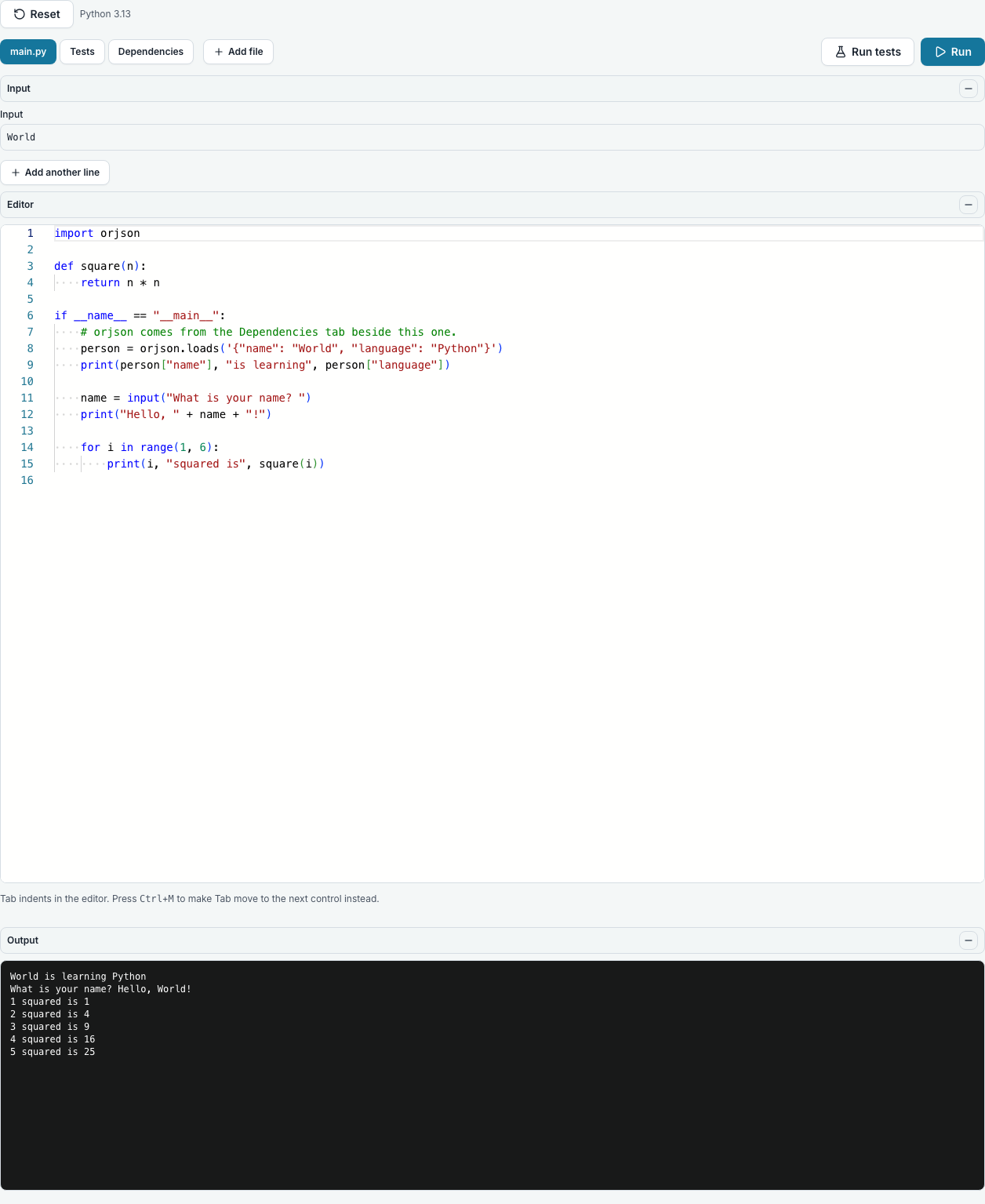
Students write and run real code, in the browser
Python, SQL, Java, Go, C, C++, C#, Haskell, OCaml, R, Ruby, PHP, Rust, Kotlin, Prolog, Node, TypeScript, Bash and a real Linux terminal, plus HTML, CSS and JavaScript for a web page. It is not a simulation and not a sandbox that only accepts the answer you expected: the code runs, and when it is wrong it fails the way it would on your own machine.
That matters for teaching. A student who has only ever seen a green tick has not met a traceback, and reading a traceback is most of learning to program.
Work is set per module and marked in one place
You make a module, put a class on it, and hand out tasks. Each student gets their own copy of a coding task; a written assignment or a quiz stays one task the whole class reads.
Everything a student does lands on one page for you: what they saved, when, what their tests did, what they handed in, and the conversation about it.
Quizzes mark themselves
Multiple choice, text answers, matching, ranking and the rest are marked the moment they are submitted, against an answer key that never reaches the student’s browser. You set how many attempts and how long they have.
Students deploy real web apps, from GitHub
A student can deploy Python, Node, Go, Java and static HTML, CSS and JavaScript sites from a public GitHub repository to an address of their own, with no cloud account and no card, share it with up to 5 invited people, and hand the deployed app in for marking. An app is guaranteed an hour and keeps running while there is room, up to 4 hours, stops after 30 minutes with nobody looking at it, and each account has 8 hours of app time a day. It is for learning and demonstrating, not production hosting: long enough to show a teacher, share with a few people or hand in a link, and deliberately not long enough to run a service on.
A free first year for a college, and free for one person
A college’s first 365 days are free, up to 50 students. After that it pays one yearly price for its first 50 students, in its own currency, then per student a year with staff free. Somebody learning on their own gets an individual account that is free for ever.
Questions people ask
- Does anything need installing on school computers?
- No. Everything runs in the browser students already have. There is no plugin, no runtime and nothing for a technician to approve.
- Which languages can students write in?
- Python, SQL, Java, Go, C, C++, C#, Haskell, OCaml, R, Ruby, PHP, Rust, Kotlin, Prolog, Node, TypeScript, Bash, a real Linux terminal, and HTML, CSS and JavaScript for a web page. Diagrams too, with Mermaid and Excalidraw.
- Is the code really executed?
- Yes, in a throwaway container per run. A program that would crash on your own machine crashes here, with the same error message.
- Can students deploy web apps?
- Yes: Python, Node, Go, Java and static HTML, CSS and JavaScript sites, from a public GitHub repository, on an address of their own and for a limited time. It is for learning and demonstrating, not hosting.
- Does it work on a phone?
- Yes. Every page works at phone width, and every list turns into cards there, each value beside its column’s name, so a student can check what is due from their phone. Writing code is better on a keyboard.
- Is the platform in languages other than English?
- Yes: the whole site, the platform and this manual are in English, French, Japanese and Spanish. It opens in the language your browser asks for, and each person can pick another from the globe at the top of every page, at its foot, or under Language and time zone on their profile. Signed in, the choice is kept on the account, so it follows them to any computer. The terms and the privacy policy are translated too, and the original English prevails if the two ever differ. Emails arrive in the language each person reads the site in. A lesson a college wrote stays in the language its teacher wrote it in.