Set a SQL task with its own database
A SQL task is two tabs: the query the student writes, and the schema that creates and fills the database it runs against. Both are yours to set.
The schema is part of the task
You write the `CREATE TABLE` and the `INSERT`s, so every student is querying the same data and you know what the right answer is. The tables show beside the editor, so nobody has to remember a column name.
It is SQLite, running in a container per go. Every run builds a fresh database in memory, applying your schema and then the query, so a student who drops a table has dropped their own copy of it and nobody else’s.
A new SQL task opens with a small school database ready to query: students, courses and enrollments, five rows in each, enough to try a select, a where, an order by and a join before you write your own.
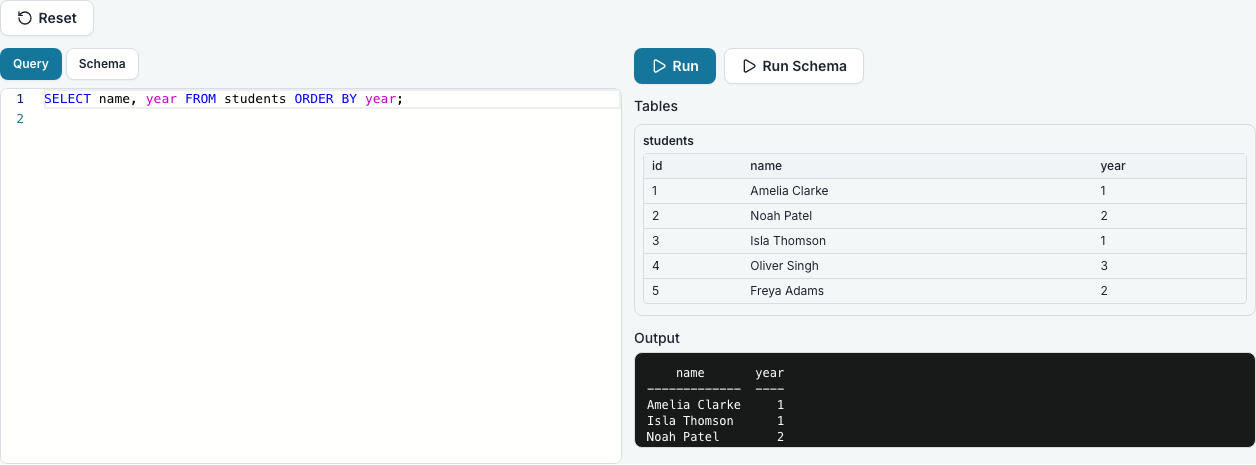
Running it
Run executes the query and shows the rows. Run Schema rebuilds the database, which is the way back from an experiment that went wrong.
Marking it automatically with a model answer
Give the task a model answer and Run tests will mark it for you. A third tab, Model answer, holds your own query. The student’s query and yours both run against the same schema, and their rows are compared ignoring order but not duplicates: an answer that comes back in a different order passes, and one that returns a row once where it should return it twice does not. The same columns are needed in the same order, though the column names are not compared.
The result is a single pass or fail, with no partial credit and no count. A query that cannot run at all reads Could not run rather than failed, because a syntax error and a wrong answer deserve different feedback. The model answer is hidden from students unless you tick Show the model answer to students, read-only, and they are offered the button either way, so a student can always check their work.
In a lesson, and locking the schema
A SQL code block in a lesson has the same two tabs: write the schema once and every student runs their queries against those tables, without leaving the lesson. The same goes for a SQL task added to a lesson.
Tick “Lock the schema for students” and they see the schema but cannot change it, so everybody is querying the data you set. Leave it unticked and each student may change their own copy.
Questions people ask
- Which dialect?
- SQLite, which is close enough to the specifications and needs no server.
- Can a student see the data before they query it?
- Yes. The tables are listed beside the editor with their first rows.