Sample labs: ready-made container labs and VM labs for teaching
Every lab here runs in the browser and gives each student a private copy with a terminal beside it, so there is nothing to install and nothing on the student’s own computer to break. Each has its own page in this manual with instructions, what to ask students to hand in, and its source on GitHub, which you can fork and change.
Some are container labs, written as a compose file, and some are VM labs, each student getting an Ubuntu machine of their own. Start any of them to try it, or copy one into a module and set it as work.
Databases and APIs
PostgreSQL and PostgREST: a Postgres database and a web API that turns every table into REST endpoints, with psql and curl in the terminal. It teaches SQL, REST, volumes and backups.
MySQL and phpMyAdmin: MySQL with a sample shop database of eight tables and a few hundred rows, and phpMyAdmin already signed in, with thirteen SQL exercises from a first SELECT to subqueries and transactions.
Version control
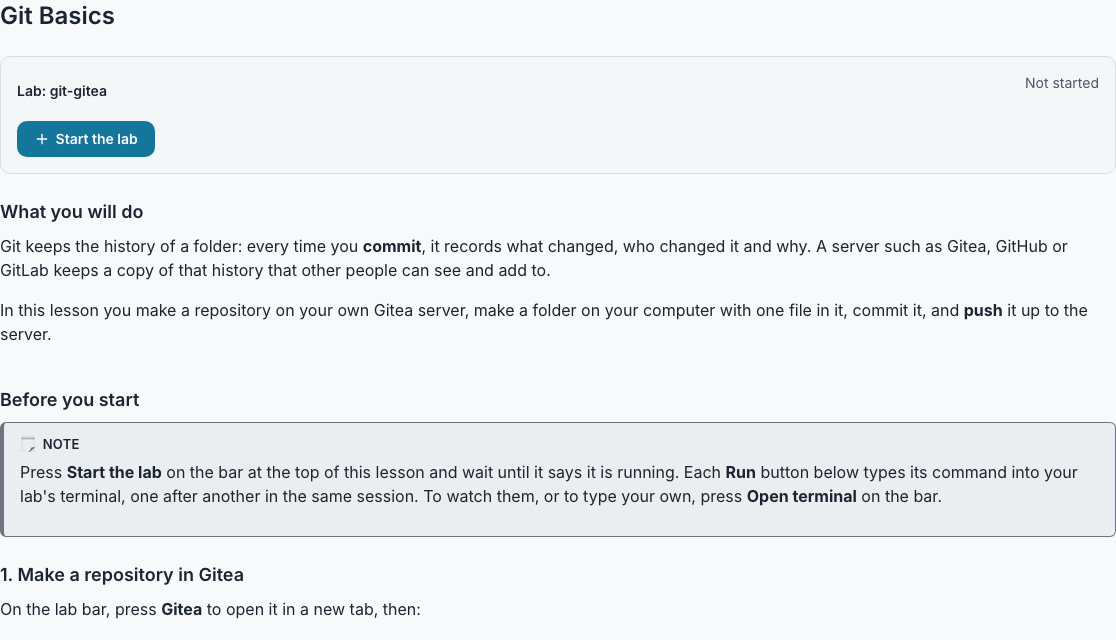
Git and Gitea: a Git server of the student’s own, with a repository to clone, commit and push to from the terminal and then find in a web interface like GitHub’s, with no GitHub account.
Web application security
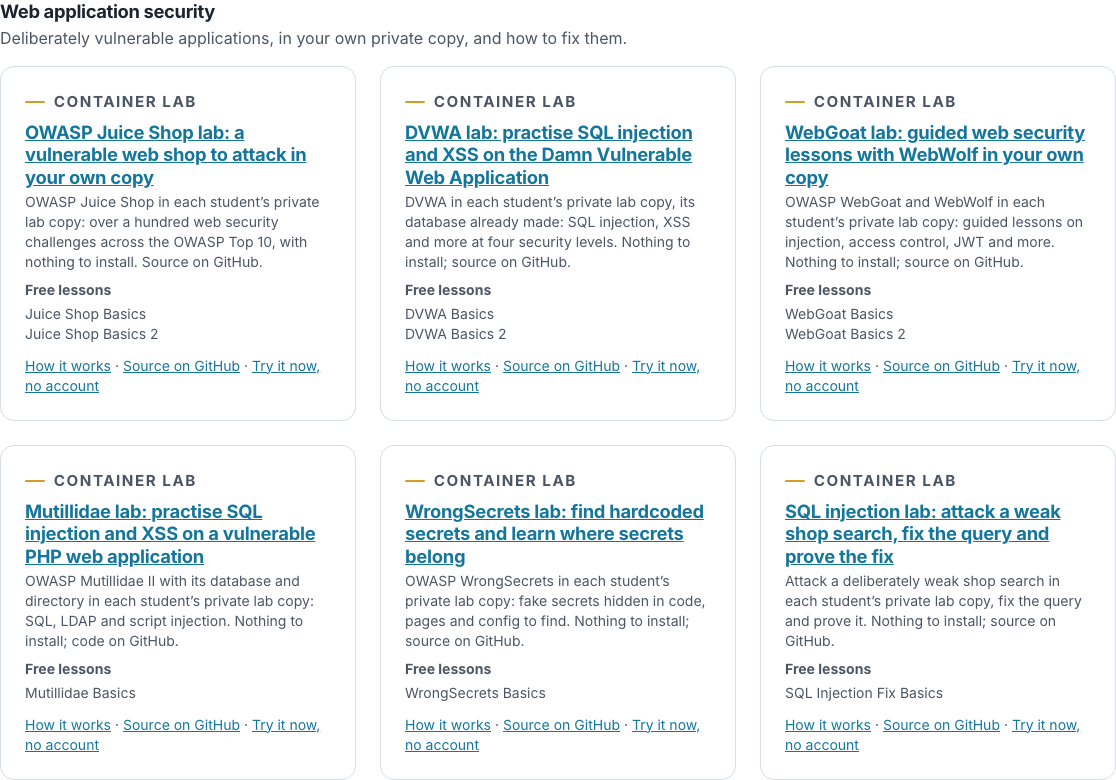
OWASP Juice Shop, DVWA and WebGoat: three deliberately vulnerable web applications, each in the student’s own private copy. Students attack the application, explain the flaw and hand in evidence. The overview page, Security labs, covers the scope rule and where each fits in a course.
OWASP Mutillidae II adds a second deliberately vulnerable PHP application with a database and a directory service, OWASP WrongSecrets teaches secrets management by hiding wrong secrets in code and configuration for the student to find, and SQL injection: find it and fix it gives the student a small weak application of ours to exploit and then repair.
DevOps and web servers
Harden a web server: an nginx site with a weak configuration to find and fix from the terminal, with a check that says PASS or FAIL. Docker basics: a small stack with one broken service, where the student reads logs, runs a command inside a container, fixes it and restarts it. Observability: Prometheus and Grafana watching a small web server, with an alerting rule for the student to write.
Linux administration and security operations
Linux administration, Incident response and Ansible are VM labs: the student gets an Ubuntu machine of their own and a README. Linux administration has four small tasks, users, a shared folder, a cron entry and a service file. Incident response gives a log set from a compromised machine to investigate, and Ansible asks the student to finish a playbook that configures the machine. Each has a check that marks the saved machine.
Computer networking
Static routing, OSPF and BGP: three VM labs in which every router and host of a small network is built inside the student’s one VM and the routers run FRRouting, with a check that marks the lab for you.
NAT gateway, DHCP and DNS, VLANs and WireGuard go deeper in the same way: a NAT gateway with masquerade and a port forward, a DHCP and DNS server with dnsmasq, a switch and a router on a stick for VLANs, and a WireGuard tunnel between two sites.
A basic lesson for every lab
Every lab has a small lesson worked in it. The first six container labs have two: Git Basics and Git Basics 2, SQL Basics and SQL Basics 2, API Basics and API Basics 2, Juice Shop Basics and Juice Shop Basics 2, DVWA Basics and DVWA Basics 2, WebGoat Basics and WebGoat Basics 2. The others have one each: Static Routing Basics, OSPF Basics, BGP Basics, Mutillidae Basics, WrongSecrets Basics, SQL Injection Fix Basics, Web Server Hardening Basics, Docker Basics, Observability Basics, Linux Administration Basics, Privilege Escalation Basics, Incident Response Basics, Ansible Basics, Hadoop Basics, Spark Basics, Kafka Basics, Valkey Basics, NAT Basics, DHCP and DNS Basics, VLAN Basics and WireGuard Basics. A lesson worked in a lab has a step in words and a Run button that types the command into the student’s own terminal, in a container or in an Ubuntu VM, so a teacher sees both what a lesson is and what a lab can do. They are deliberately short.
They are available everywhere: a free personal account is given all of them on the Basics module, which is on Home, every college can copy them from the Library’s Basics folder into a module of its own, and a new college opens with them in its sample modules, Basics (Sample), Database (Sample), Lab Basics (Sample), Networking Basics (Sample), Security Labs (Sample), DevOps Labs (Sample) and Linux Labs (Sample).
Run any of them in the browser
Container labs start from the Container page: the Git lab and the SQL lab with no account, and every other lab with a free account. VM labs are added to a module as a lab task and start from the sample on the lab’s page.
- Open the Container page. Open Build on the bar and choose Run a container. Anybody may open it, and the Git lab and the SQL lab start with no account. Every other lab needs a free account: create one, sign in, then press Start.
- Press Start on a sample. The Sample labs card lists every container lab. Start runs one in a press, and Edit the file first lets you change it before you start.
- Set one as work. Copy a lab into your module as a Container lab or an Ubuntu VM lab, publish it, try your own copy and assign it like any task.
The code is public
Every lab is in a public repository under mitsurutech on GitHub, with a README that carries the lesson. The compose files and lab definitions are MIT licensed: copy them, change them, teach with them. The applications inside, Juice Shop, DVWA, WebGoat and the others, keep their own licences and are pulled from their own projects’ images, never redistributed by us.
- lab-sample: PostgreSQL and PostgREST
- lab-mysql-phpmyadmin: MySQL and phpMyAdmin
- lab-git-gitea: Git and Gitea
- lab-juice-shop: OWASP Juice Shop
- lab-dvwa: DVWA
- lab-webgoat: WebGoat and WebWolf
- lab-netlab: static routing, OSPF and BGP
- lab-mutillidae: OWASP Mutillidae II
- lab-wrongsecrets: OWASP WrongSecrets
- lab-sqli-fix: SQL injection, find it and fix it
- lab-harden-nginx: harden a web server
- lab-docker-basics: Docker basics
- lab-observability: Prometheus and Grafana
- lab-hadoop: Hadoop HDFS and MapReduce
- lab-spark: Apache Spark
- lab-kafka: Apache Kafka
- lab-valkey: Valkey key-value store
- lab-linux-admin: Linux administration
- lab-linux-privesc: Linux privilege escalation
- lab-incident-response: incident response
- lab-ansible-basics: Ansible
- lab-nat-gateway: NAT gateway
- lab-dhcp-dns: DHCP and DNS
- lab-vlans: VLANs
- lab-wireguard: WireGuard
Questions people ask
- Do students need to install anything?
- No. Every lab runs on our machines and opens in the browser, with a terminal beside it. Nothing is installed on the student’s computer.
- Can I change a lab or write my own?
- Yes. Fork the repository and point a lab at your fork, or copy the file into a lab written on the page. The guide to container labs says what a compose file may say.
- Is there a lesson for each lab?
- Yes: every lab has a short basic lesson worked in it, and the first six container labs have a second, free for every personal account and every college. In a VM lab the Run button types into the Ubuntu VM’s terminal.
- Do the labs mark themselves?
- Most VM labs do: each has a check script you run on a student’s saved machine. The Linux privilege escalation lab is the exception, because a student on that machine could fake any proof, so you read a written hand-in. The container labs are marked by you from what the student hands in, and a few, such as the web server hardening lab, have a check the student runs themselves.
- Can I use them outside the platform?
- The container labs run on your own machine with docker compose, and each README says how. The VM labs are definitions for the platform’s VM labs.